Powerful Free AI Tools in 2026
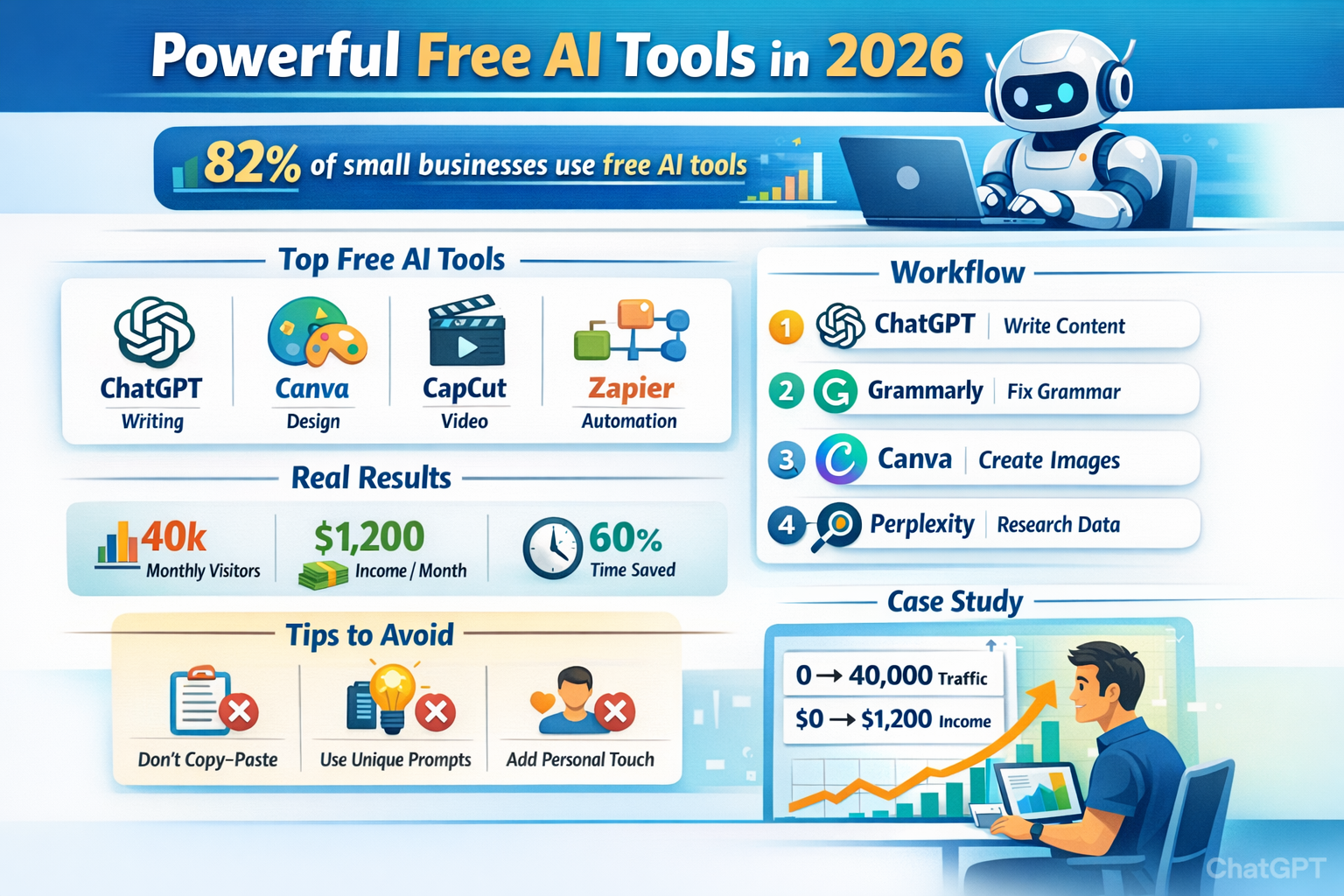
In this article, I will discuss the most powerful free AI tools in 2026. I have listed 15 free AI tools to help with content writing, blogging, small businesses, marketing, and freelancing. According to Gartner, over 82% of small businesses now use at least one free AI tool to automate tasks, create content, or improve productivity. The best part? Many free AI tools now perform at the same level as paid software.
Powerful Free AI Tools in 2026
Why Free AI Tools Are Essential in 2026
Before we explore the tools, let’s understand why AI tools have become essential. Free AI tools can help you:
- Write blog posts faster
- Create social media content
- Design images and videos
- Automate repetitive tasks
- Analyze data instantly
- Improve SEO performance
- Save 10-20 hours every week
For example, a freelance blogger using AI tools reduced content creation time from 6 hours to just 2 hours per article. Now let’s explore the best tools.
Best Free AI Writing Tools in 2026
1. ChatGPT Free Version – Best Overall Free AI Tool
OpenAI created ChatGPT, and it remains the most powerful free AI writing assistant available. I am using this tool for my content writing and script.
Key Features
- Blog post generation
- Article outlines
- Email writing
- SEO content ideas
- Script writing
- Content rewriting
Read More: Gemini vs ChatGPT for SEO (2026): Performance, Accuracy & Ranking Results Compared
Let’s go for an example: A US-based startup founder used ChatGPT to generate 50 social media posts in just one hour. Super easy and fast. Most of the company uses this method. Without AI, this would have taken at least 6–8 hours.
How to Use It Effectively
So, let’s discuss how to use it effectively and easily. You can just enter this tool. Just sign up for any Gmail and say, ” Hey, write an article about AI tools, more than 2000 word and press enter or go. chatgpt write it in just one minute. Then you can modify this article and use it.
2. Grammarly Free – Best Free Tool for Editing
Grammarly is one of the most trusted AI writing assistants in the world. I also used this tool. When I was a beginner blogger, i can do grammatical mistakes again and again. When I used grammarly then solved this problem easily. Now I can write my blog easily without grammatical mistakes.
Key Features
- Grammar correction
- Tone detection
- Clarity improvement
- Writing suggestions
- Browser extension support
A freelance writer in California reduced editing time by 40% using Grammarly. Instead of manually checking grammar, Grammarly fixes everything instantly.
Best Use Case
Perfect for:
- Bloggers
- Freelancers
- Students
- Content writers
3. Notion AI – Best Free Tool for Productivity Writing
Notion provides powerful AI writing and productivity features. These tools easily generate ideas within one minute.
What It Can Do
- Summarize notes
- Generate ideas
- Write blog drafts
- Create meeting notes
- Organize projects
A team of 5 marketers reduced meeting documentation time by 60%.
Read More: Best Earning Money App for Beginners (Real, Free & Legit Guide)
Best Free AI Image Generation Tools
Visual content is critical for US audiences. Articles with images get 94% more views.
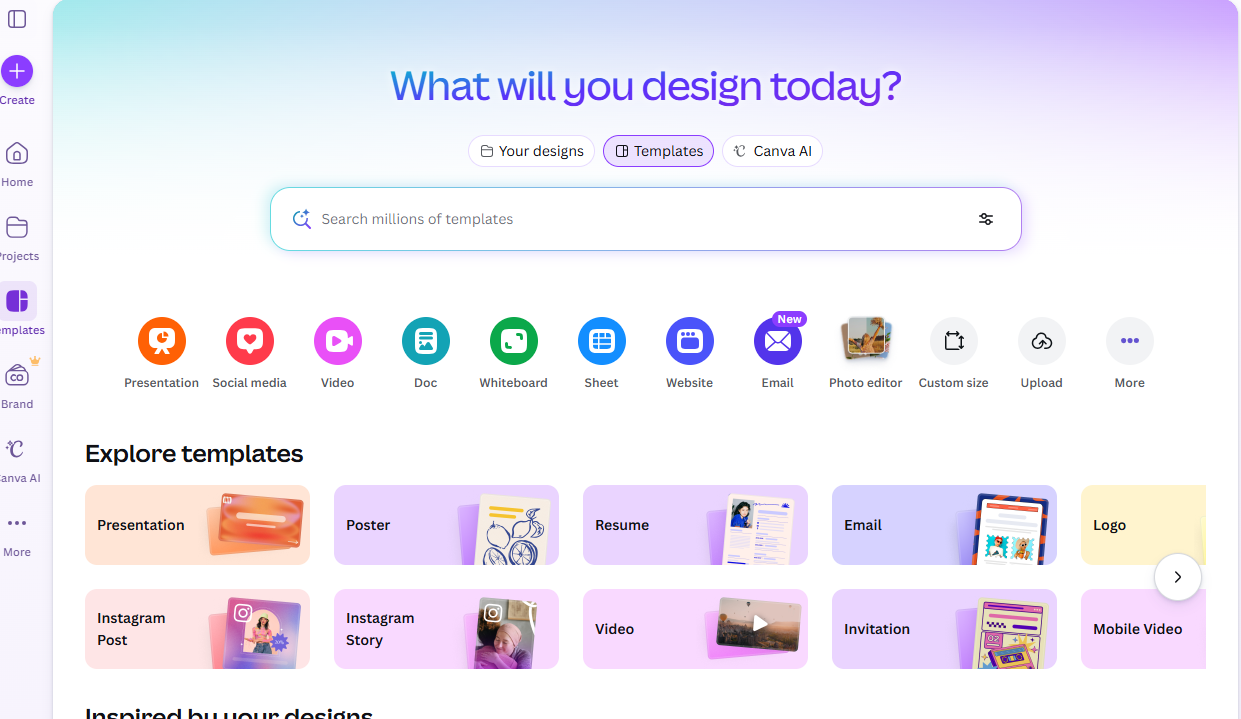
4. Canva Magic Studio – Best Free AI Design Tool
Canva offers powerful free AI tools. The most powerful features of canva is
- Text-to-image generator
- Thumbnail creator
- Logo generator
- Social media graphics
A YouTuber improved click-through rate from 3% to 9% using AI-generated thumbnails.
5. Microsoft Designer – Best Alternative to Photoshop
Microsoft created Microsoft Designer. This tool is easier than Photoshop. photoshop sofware is a heavyweight but smooth in Microsoft.
Features
- Background removal
- Image enhancement
- Social media graphics
- AI image creation
Perfect for beginners.
Best Free AI Tools for Research and SEO
6. Perplexity AI – Best Free Research Tool
Perplexity AI is one of the most powerful free research tools. I can also use this tool. Why It’s Powerful
- Gives real sources
- Faster than Google search
- Accurate information
An SEO expert reduced research time from 2 hours to 20 minutes.
7. Google Gemini – Best Free AI Assistant
Google developed Gemini. These tools are my best and favourite tools for content writing.
Features
- Research summaries
- Writing assistance
- Coding help
- Productivity automation
Best for Google Workspace users.
Best Free AI Tools for Productivity
8. Google Sheets AI
Google Sheets now includes built-in AI features that make data analysis easier and faster—even for non-technical users. Instead of manually writing complex formulas or spending hours reviewing spreadsheets, users can simply describe what they want in plain English.
The AI can suggest formulas, identify trends, generate charts, and even provide forecasts based on historical data. This makes it an incredibly powerful free tool for small businesses, marketers, and analysts who rely on data-driven decisions.
Read More: Microtask Jobs Work From Home: Easy Online Work You Can Do in Small Time
For example, a small retail store owner used Google Sheets AI to analyze monthly sales data. By asking the tool to “forecast next quarter’s sales based on past 12 months,” the AI detected a downward trend that wasn’t obvious at first glance.
This early insight allowed the owner to adjust inventory and marketing strategy before the sales drop significantly impacted revenue. What once required advanced spreadsheet skills can now be done in minutes—saving time and helping businesses make smarter, data-backed decisions.
9. Copy.ai Free Version
Copy.ai is a powerful AI copywriting tool designed specifically for marketers and e-commerce businesses. Its free version allows users to generate high-converting marketing content in minutes without needing professional copywriting skills.
Instead of staring at a blank screen, you can input a short product description or campaign idea, and the AI will instantly generate ad copy, product descriptions, promotional emails, and even social media captions.
For example, an e-commerce store owner launching a new skincare product used Copy.ai to create Facebook ad copy and product page descriptions within 30 minutes. What would normally take several hours of brainstorming and editing was completed quickly—while still sounding persuasive and professional.
For online sellers looking to scale fast without hiring a full marketing team, Copy.ai’s free version is a valuable starting point.
10. Leonardo AI – Best Free AI Image Generator
Leonardo AI is one of the most impressive free AI image generators available today. It allows users to create high-quality, detailed visuals simply by typing descriptive prompts. Whether you need blog featured images, YouTube thumbnails, or marketing graphics, Leonardo AI can generate professional-looking artwork in seconds.
For instance, a tech blogger used Leonardo AI to create custom blog header images instead of relying on stock photos. The result was unique, eye-catching visuals that improved engagement and reduced bounce rate. For content creators who want originality without hiring a designer, Leonardo AI offers a powerful and cost-effective solution.
Best Free AI Video Tools
Video content dominates the US digital market, and free AI video tools now make it easier than ever to create professional videos without advanced editing skills.
11. CapCut AI Tools
CapCut offers a range of free AI-powered features that simplify video production. From automatic captions to smart editing suggestions and AI-powered effects, CapCut helps creators produce polished videos quickly.
For YouTube creators and short-form content producers, auto-captioning alone can dramatically increase engagement, especially since many viewers watch videos without sound. One small creator reported cutting editing time in half after switching to CapCut’s AI tools. It’s especially useful for TikTok, Instagram Reels, and YouTube Shorts creators who need fast turnaround times.
12. Runway ML – Free AI Video Generator
Runway is known for pushing the boundaries of AI video creation. Its free tools allow users to experiment with text-to-video generation, advanced video editing, and AI animation effects.
For example, a digital marketer used Runway’s text-to-video feature to create short explainer clips for a product launch campaign. Instead of hiring a video editor, they generated concept videos using simple prompts and refined them with AI-powered editing tools. Runway is ideal for creators who want cinematic or innovative visuals without expensive production costs.
Best Free AI Tools for Automation
Automation is where AI truly saves time. Instead of manually performing repetitive tasks, you can connect tools and let AI handle the workflow.
13. Zapier Free AI Automation
Zapier allows users to connect different apps and automate workflows without coding. The free plan is powerful enough for small businesses and solo creators.
For example, you can automatically publish a new blog post to social media platforms, send email notifications when someone fills out a form, or store leads directly into a spreadsheet. A blogger who automated content sharing saved several hours every week by eliminating manual posting tasks. Zapier acts as a digital assistant working in the background 24/7.
14. HubSpot AI Tools Free
HubSpot offers free AI-powered tools inside its CRM platform. These tools help with email writing, marketing automation, customer communication, and lead management.
For small businesses targeting US customers, HubSpot’s free AI features can streamline outreach and improve response rates. For example, a small consulting business used HubSpot’s AI email generator to craft personalized follow-up emails for leads, resulting in higher engagement and more booked calls. It’s especially useful for startups that want enterprise-level marketing tools without enterprise-level costs.
How to Combine AI Tools for Maximum Results
The real power of free AI tools comes from combining them strategically rather than relying on just one platform.
A highly effective workflow looks like this:
Step 1: Use ChatGPT to write your article or generate content ideas.
Step 2: Use Grammarly to refine grammar and improve clarity.
Step 3: Use Canva to create featured images and graphics.
Step 4: Use Perplexity AI to validate data and add credible sources.
By stacking these tools together, you create a streamlined production system that can reduce content creation time by up to 80%. Instead of working harder, you work smarter—leveraging AI at every stage from research to publishing.
Common Mistakes to Avoid
Most of the newbies make a common mistake, like copying and pasting without editing, using generic prompts, and not adding human experience. Always add your personal touch than you get better results. I hope all AI tools have helped you to go ahead in your career.